Every row a little joy.
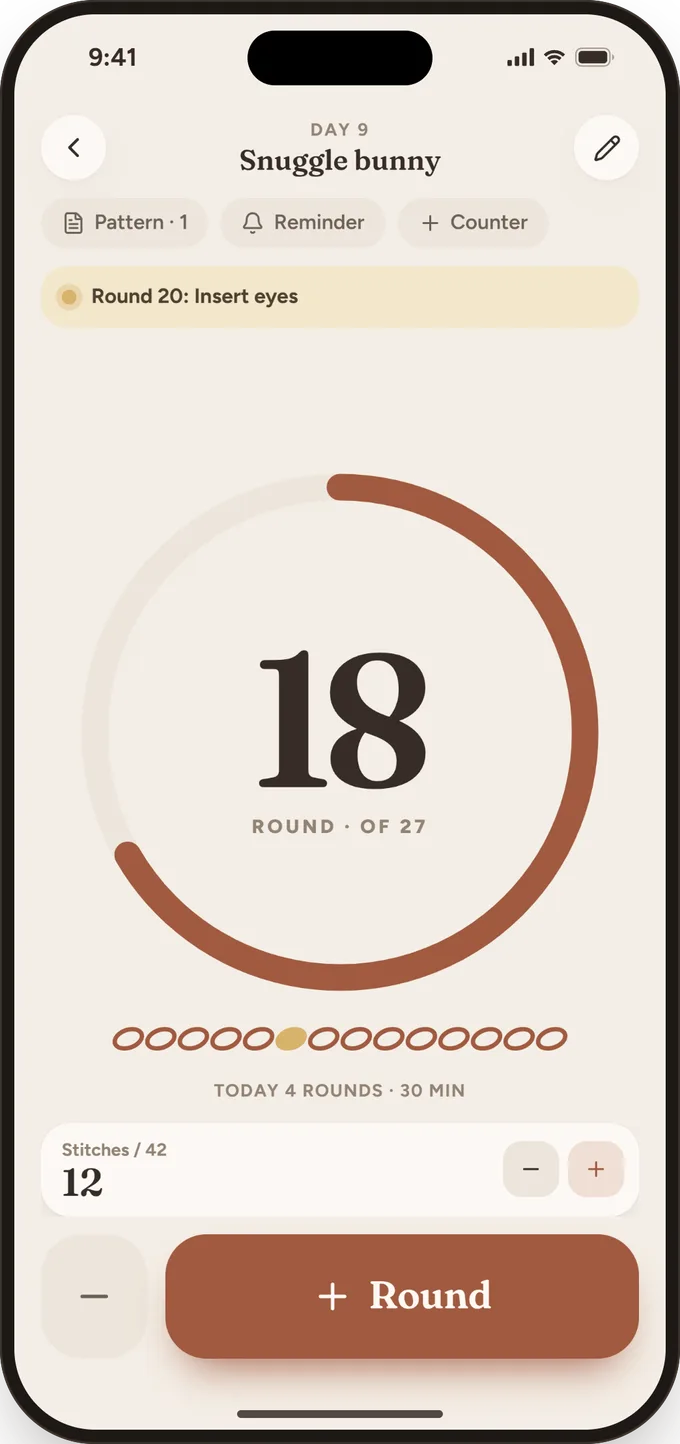
Garnida counts your rows with one tap, reminds you of color changes and celebrates every finished piece. Your cozy journal for crochet and knitting, no account needed.
Coming soon to the App StoreFree for two open projects at a time. No ads, no tracking.
A look inside
Calm, warm and right at hand.
What’s inside
Everything that helps while you crochet and knit.
Made for everyone who crochets or knits on the sofa in the evening and enjoys every finished row.
-
Count without putting down your crochet hook or knitting needles
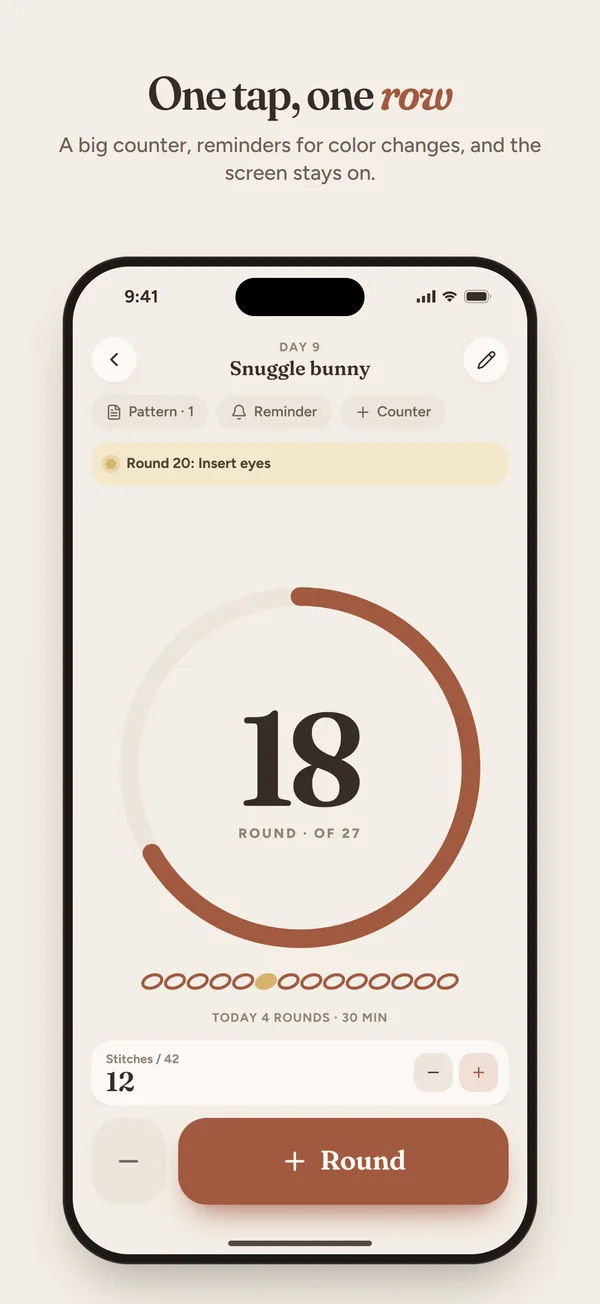
Tap the screen, and the next row or round is counted. Your hands stay on the yarn.
-
Reminders at the right moment
Garnida reminds you right when it’s time, like a color change every 4 rows. Plus extra counters for stitches or repeats.
-
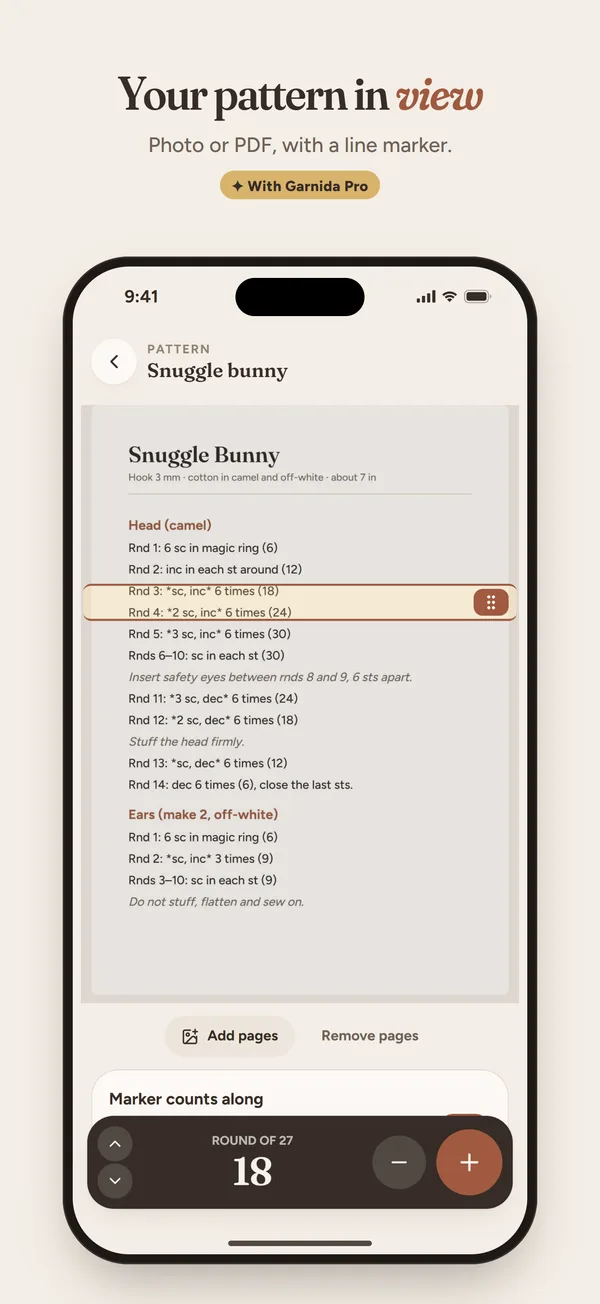
Your pattern with a line marker
Add your pattern to the project as a photo or PDF. A line marker shows you which line you’re on.
-
Safe in your iCloud
Garnida automatically backs up your projects and photos to your private iCloud storage. On a new iPhone everything is back, with no account and no questions asked.
-
Journal and yarn stash
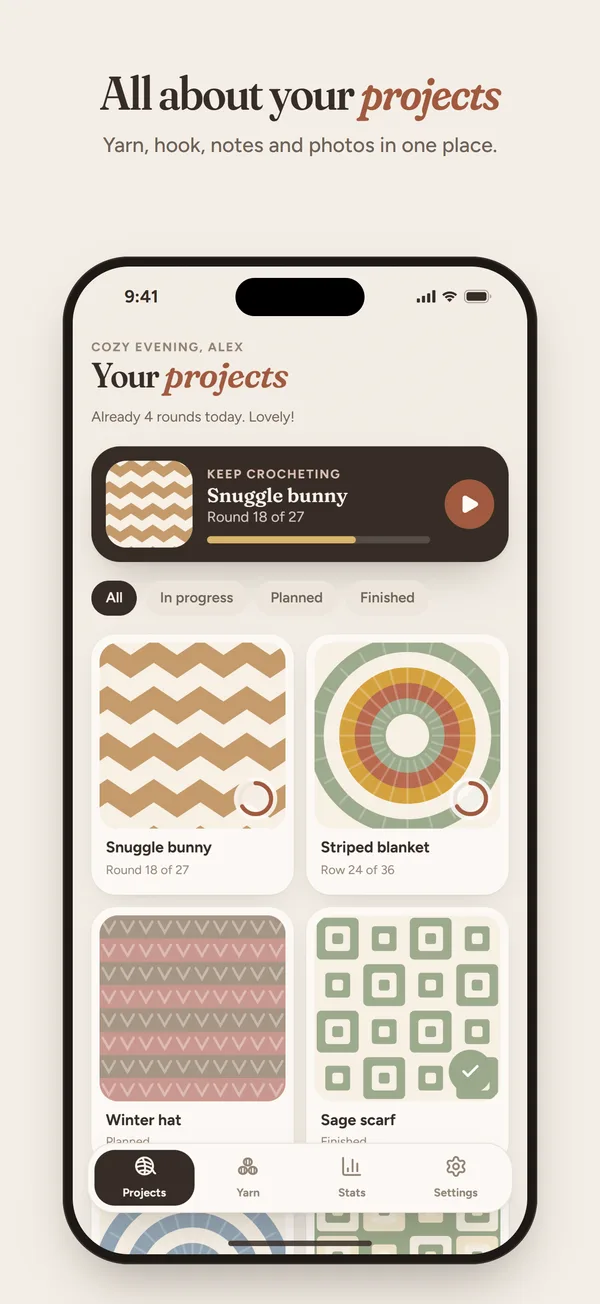
Photos, notes and automatically measured time for every project. Plus your yarn stash with brand, color and length.
-
Joy that lasts
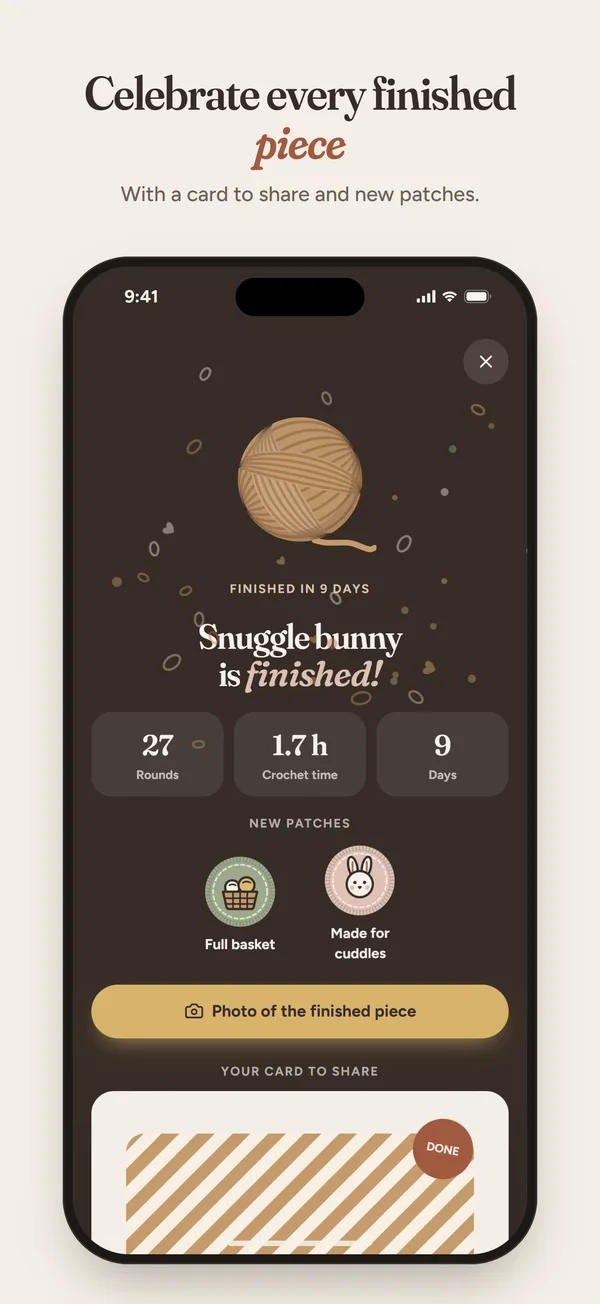
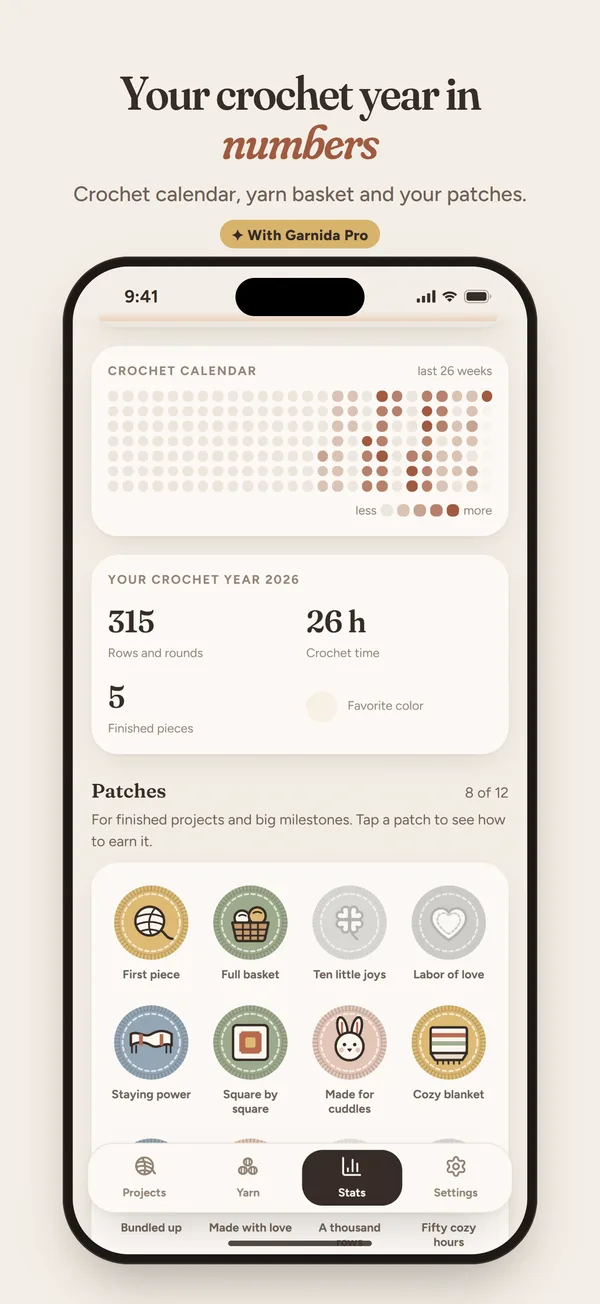
Your yarn basket fills up with every finished piece, and you earn patches along the way. Sharing your finished pieces with friends and family is just as easy.
Pricing
Free, and with Pro.
Free
€0forever, no subscription prompt at launch
- Row counter with one tap
- Two open projects at a time, as many finished ones as you like
- Journal with photos and measured time
- Yarn basket, patches and sharing with friends and family
- Automatic backup to your iCloud
Garnida Pro
Yearlythe first 7 days free
Monthlycancel anytime
- As many projects as you like, and several counters per project
- Reminders for color changes and special rounds
- Patterns with a line marker
- Your yarn stash
- Full stats, share images without logo and all color themes
The app shows you the price in your currency before you buy (in the euro area €29.99 a year or €5.99 a month). The subscription renews automatically unless you cancel at least 24 hours before the end of the current period. If it ends, your two oldest open projects stay free, the others stay saved and are back with Pro.
Help
Questions and answers.
Questions, bugs or ideas for Garnida come straight to me.
Where are my projects stored?
On your iPhone. If iCloud is signed in, Garnida also backs up your projects and photos automatically to your private iCloud storage. Only you and your devices have access to it. There is no account and no server for your projects, so I never see them. More in the privacy policy.
How do I take my projects to a new iPhone?
Sign in to iCloud on the new iPhone with the same Apple Account and download Garnida. When you first open it, the app gets your projects back from iCloud automatically, which can take a moment with many photos. Then get Pro back in the Settings tab with Restore purchases if it isn’t active automatically.
Can I turn off the iCloud backup?
Yes, in Garnida’s settings under iCloud backup. You can delete an existing backup in your iPhone’s iCloud settings.
How do I delete or export my data?
In Garnida’s settings: Export data gives you all projects and photos as a file, Delete all data removes them from this iPhone. The backup in iCloud is kept and comes back after reinstalling. You can delete it in your iPhone’s iCloud settings.
I bought Pro, but it isn’t active.
Open the settings in Garnida and tap Restore purchases. Pro belongs to your Apple Account, so sign in with the one you used to buy it.
How do I cancel Pro?
Easiest right in the app: Settings › Manage or cancel subscription. Or in your iPhone’s Settings: tap your name, then Subscriptions and Garnida. Cancel at least 24 hours before the renewal, then nothing more is charged. Deleting the app does not cancel the subscription.
What happens when my subscription ends?
Nothing gets lost. Your two oldest open projects and all finished projects stay free. The other open projects show a lock and are back right away with Pro. The color theme goes back to a free one, and Export data always stays available.
Is Garnida available in other languages?
Garnida speaks English and German. It uses German if your iPhone is set to German, and English otherwise. You can also choose the language yourself in Garnida under Settings › Language · Sprache.
Why does Garnida ask for my photos?
Only when you add a photo to a project, the journal or as a pattern yourself. The app makes the picture smaller and saves it on your iPhone.
How do I report a bug?
Send me an email with your iOS version and what you did right before. A screenshot helps a lot.